D16 vs D28 Welding Tables: How to Choose the Right System
Abstract:
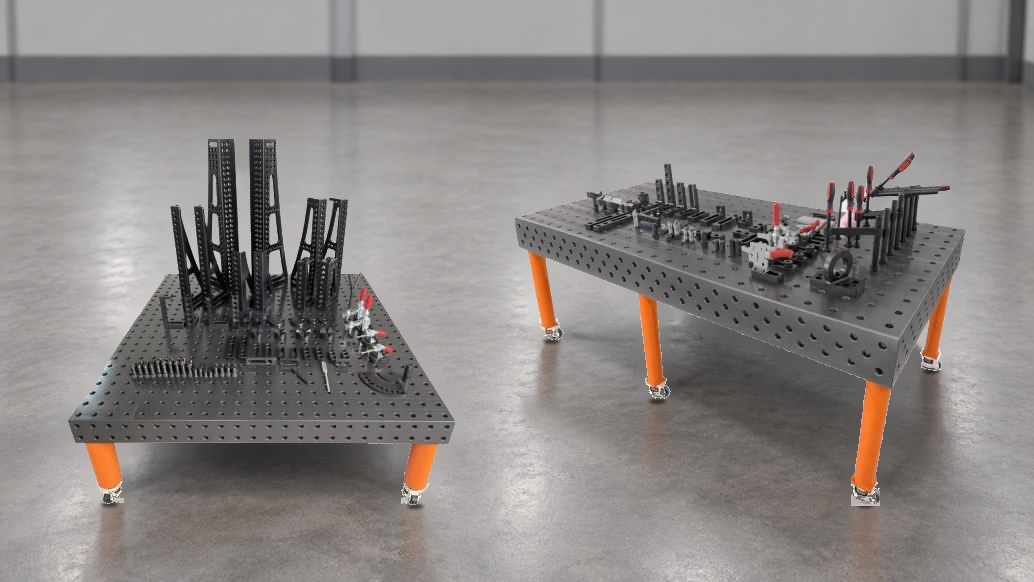
Choosing between a D16 and D28 welding table is not simply a matter of selecting a larger or smaller hole size. The right system should match the workpieces you handle, the fixtures already used in your workshop, the way operators position parts, and the tooling you may add later. Both systems can support flexible welding and assembly work, but they organize the workstation around different locating and clamping components.
Understand What D16 and D28 Mean
In our product range, D16 welding tables use a standard Φ16 hole grid, while D28 welding tables use a standard Φ28 hole grid. These holes provide mounting points for locating blocks, locking pins, clamps, angle brackets and other modular accessories. The selected hole system therefore affects the accessories that fit the table and the way a complete fixture setup is planned.
Before choosing a table, confirm the hole system used by your existing tools. If a workshop is building a new workstation, consider the entire table-and-accessory system together instead of evaluating the tabletop alone.
Start With the Workpiece and Available Space
Compact components and closely arranged fixtures may lead a workshop to consider a D16 system. Larger fabrications and broader working areas may make a D28 system more practical. The decision should be based on actual part dimensions, fixture positions and operator access rather than a general assumption that one system is suitable for every job.
It is useful to place a typical workpiece drawing over the proposed table size and mark every support, locator and clamping point. This simple exercise shows whether the planned grid provides enough usable positions without creating unnecessary table area.
Check Fixture Compatibility
A flexible welding table becomes productive when the table and its accessories operate as one system. Positioning angles, straight edge locators, V-blocks, locking pins and screw clamps should all match the selected hole diameter. Using a consistent system helps operators organize setups and reduces uncertainty when fixtures are moved between jobs.
When comparing D16 and D28, prepare a list of the accessories required for current projects. Include the fixtures already owned, the components needed immediately and any special tools that may be required for future work.
Choose the Table Format Around the Process
Both D16 and D28 systems are available in 2D and 3D welding table formats within our range. A 2D table focuses the setup on the horizontal working surface. A 3D table adds usable side faces, which can support vertical positioning and multi-face fixture arrangements. The best format depends on how the part must be accessed during welding, assembly or inspection.
For straightforward frames and flat assemblies, a 2D layout may provide the required working area. When a project regularly needs upright components or fixtures mounted from different directions, a 3D format can offer more setup options.
Plan for Future Tooling
A welding table is normally used across many projects, so future requirements should be considered alongside today’s workload. Think about whether the workshop will add larger fabrications, new locating methods or a wider range of clamps. Selecting a system with a clear tooling plan makes later expansion easier to manage.
Make the Final Choice With a Real Setup
The most reliable way to choose between D16 and D28 is to review a representative workpiece and build a fixture list around it. Compare the required table dimensions, locating points, clamp access and accessory compatibility. This approach keeps the decision connected to real production needs and helps avoid purchasing a system that does not match the workshop workflow.
Explore our welding table range or contact us with your workpiece dimensions and setup requirements.
Wonderful content, share with one click!